Your on-device file workspace
Convert files.
Edit and sign PDFs.
From Word documents to photos and video clips, work with your files directly in your browser.
Smart Converter
Choose a file to see the tools and results that fit it.
Files are processed in your browser. Privacy details
PDF · Office · Image · Audio · Video
Compatible tools

Quick picks
Recently used tools
Three steps to a finished file
- Choose a file
Pick a document from your device.
- Make your changes
Convert, edit or sign it in this tab.
- Download the result
Save the finished copy where you want it.
A practice document
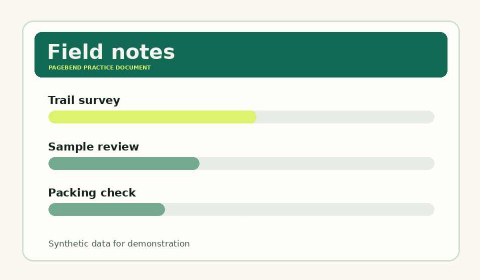
See what compression changes
Compare the same sample page at two different file sizes.
Try Compress PDF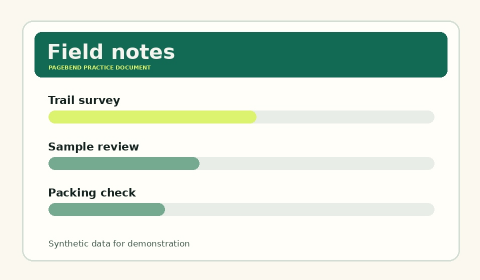
Tool library
Find the right tool
Free to use. No account needed.
No tools match this search.
Work with a PDF
Fill & Sign
Fill forms and add a signature.
Merge PDFs
Combine files in the order you choose.
Compress PDF
Make a smaller copy of an image-heavy PDF.
Split PDF
Extract selected pages or split a PDF into separate files.
Organize Pages
Reorder, rotate or remove pages in a PDF.
Watermark PDF
Place a translucent text watermark on selected PDF pages.
Add Page Numbers
Number PDF pages with a custom start and position.
Crop PDF
Trim the visible margins of selected PDF pages.
Make a PDF Searchable
Recognize printed English or French text in a scanned PDF and keep its original page appearance. Up to 20 pages and 15 MB.
Scan Documents to PDF
Capture or choose photos one page at a time, straighten visible paper edges, and combine the photos into one PDF.
PDF to Text
Export selectable text from selected PDF pages as a text file.
Redact PDF
Black out selected areas permanently in a fresh PDF made of page images.
Protect PDF
Protect a copy of your PDF with a password and AES-256 encryption.
Unlock PDF
Enter the current password to save an unlocked copy of a PDF you can open.
PDF Metadata
Review, replace, or remove the author, title, and other document metadata.
Annotate PDF
Add highlights, note text, and outlines to a PDF using the page preview.
Compare PDFs
Choose the original first and an updated PDF second to create a side-by-side comparison with highlighted changes.
PDF Bookmarks
Create or edit a clickable outline for a long PDF.
Check PDF Accessibility
Check document language, title, tags, and pages without selectable text.
PDF to PNG
Export selected PDF pages as lossless PNG images, with a ZIP for several pages.
Extract PDF Images
Export supported embedded images at their available dimensions.
PDF Tables to CSV
Detect table columns from selectable text, review or correct them, then download CSV.
PDF Headers and Footers
Add titles, dates, logos, or custom text. Use {page} for the page number and {date} for today.
Convert files
Work with images
Resize Image
Resize JPEG, PNG, or WebP images and choose an output format.
Convert Image
Convert a JPEG, PNG, or WebP picture locally and see the exact size before downloading.
HEIC to JPEG
Convert the primary still photo from a HEIC or HEIF file to JPEG on this device.
Compress Image
Compress JPEG, PNG, or WebP input as JPEG or WebP with a quality setting and optional target size.
Remove Photo Metadata
Create a fresh image from the visible pixels, removing original photo metadata such as GPS and camera information.
Crop Image
Crop to a centered aspect ratio or enter a custom rectangle as percentages of the original image.
Work with audio and video
Trim Video
Preview a video, choose start and end points, and save the clip on your device. Up to three minutes per video.
Compress Video
Reduce video size with a resolution and quality preset, then compare the sizes. Up to three minutes per video.
Extract Audio from Video
Save a video’s soundtrack as a WAV or MP3 file on your device. Requires a soundtrack your browser can decode.
Trim Audio
Find the section you want on a waveform, choose in and out points, and optionally fade its ends.
Convert Audio
Convert a recording to WAV or MP3. Input formats depend on the decoders in your browser.
Batch conversions
Process files in sequence, keep a result for each one, and pick up where you stopped.
KEEP THE LAYOUT, START FRESHReusable form layouts
Save positions on this device, then fill a matching form with new information each time.